Compare AI models, explore different perspectives, and evaluate answers from one powerful workspace. Stop switching tabs. Start seeing the bigger picture.

You have ChatGPT open in one tab, Claude in another, Gemini in a third. Copying the same prompt three times. Comparing answers by scrolling back and forth.
Each model gives a different answer. But which one do you trust? You end up reading all three anyway, wasting the time you were trying to save.
ChatGPT Plus, Claude Pro, Gemini Advanced. Three subscriptions to get three perspectives. There has to be a better way.
Prism puts every model in one place. One prompt, side by side answers, zero tab switching.
Real workflows from the app: compare, evaluate, and create.
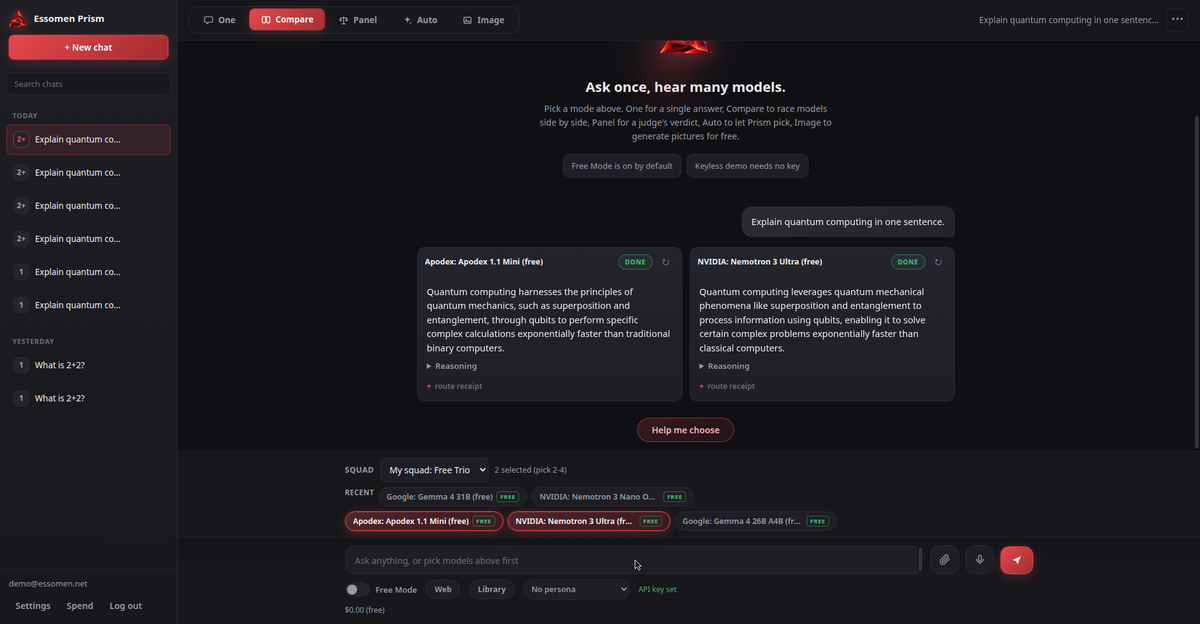
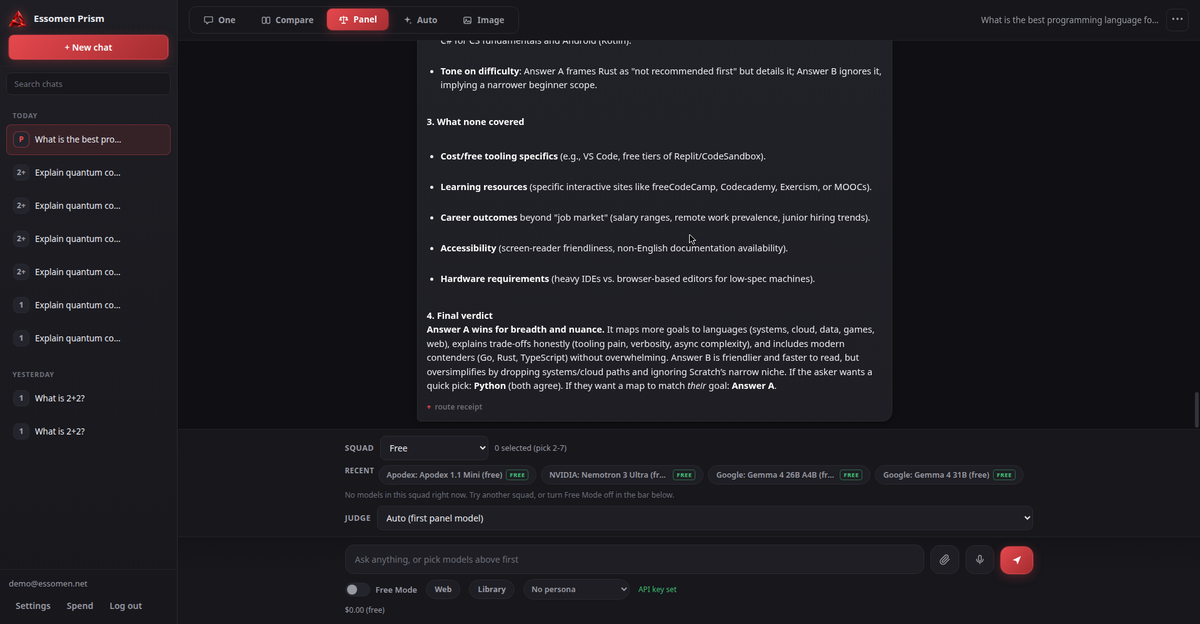
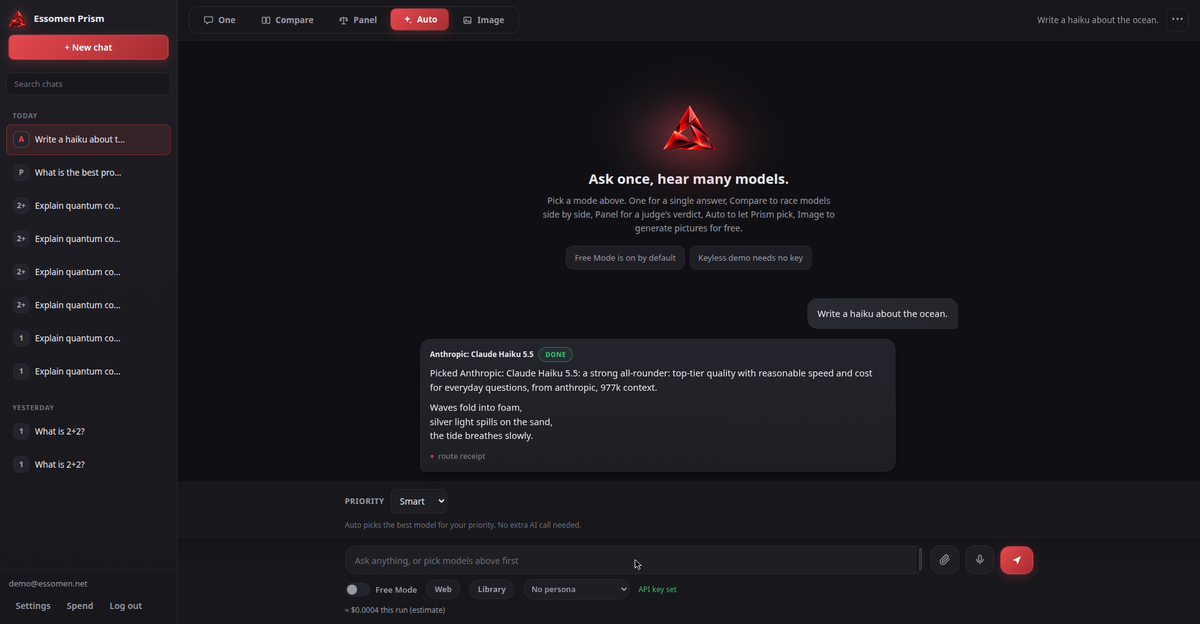
One workspace, six workflows. Pick the right one for every question.
Send one prompt to up to 4 models and read their answers side by side. Spot differences in reasoning, catch what one model misses, and pick the best answer with confidence.
After the answers come in, hit Find disagreements and Prism will analyze every response to highlight exactly where the models contradict each other. No more squinting at four walls of text trying to spot the differences. You can also ask a judge model to pick the winner with Help me choose.
Assemble up to 7 models and let a judge evaluate them all. Get a verdict that weighs every perspective, with sources shown separately from the synthesis.
Pick a single model for a focused conversation. Full chat history, clean interface, no distractions.
Need a second opinion mid-chat? Type @ followed by any model name to pull its answer right into your current thread. No mode switching, no lost context. There is also a magic wand button that rewrites your prompt to be clearer and more effective before you send it.
Set your priority (quality, speed, or cost) and Prism routes your prompt to the best eligible model automatically.
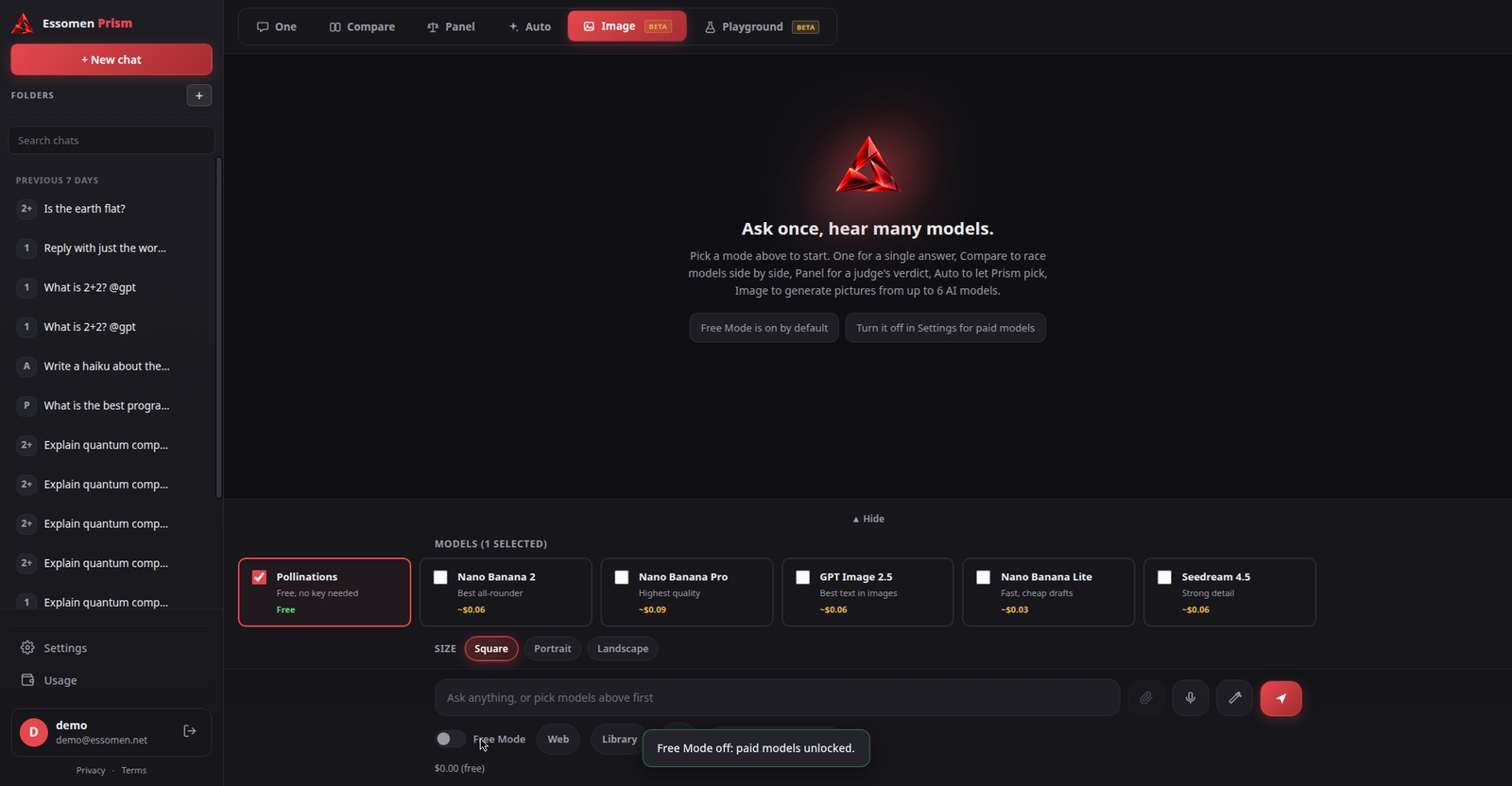
Pick up to 6 image models - Nano Banana, GPT Image, Seedream and more. Each generates its own take on your prompt, side by side. Compare styles, pick your favorite. Free Pollinations included, paid models via your own key.

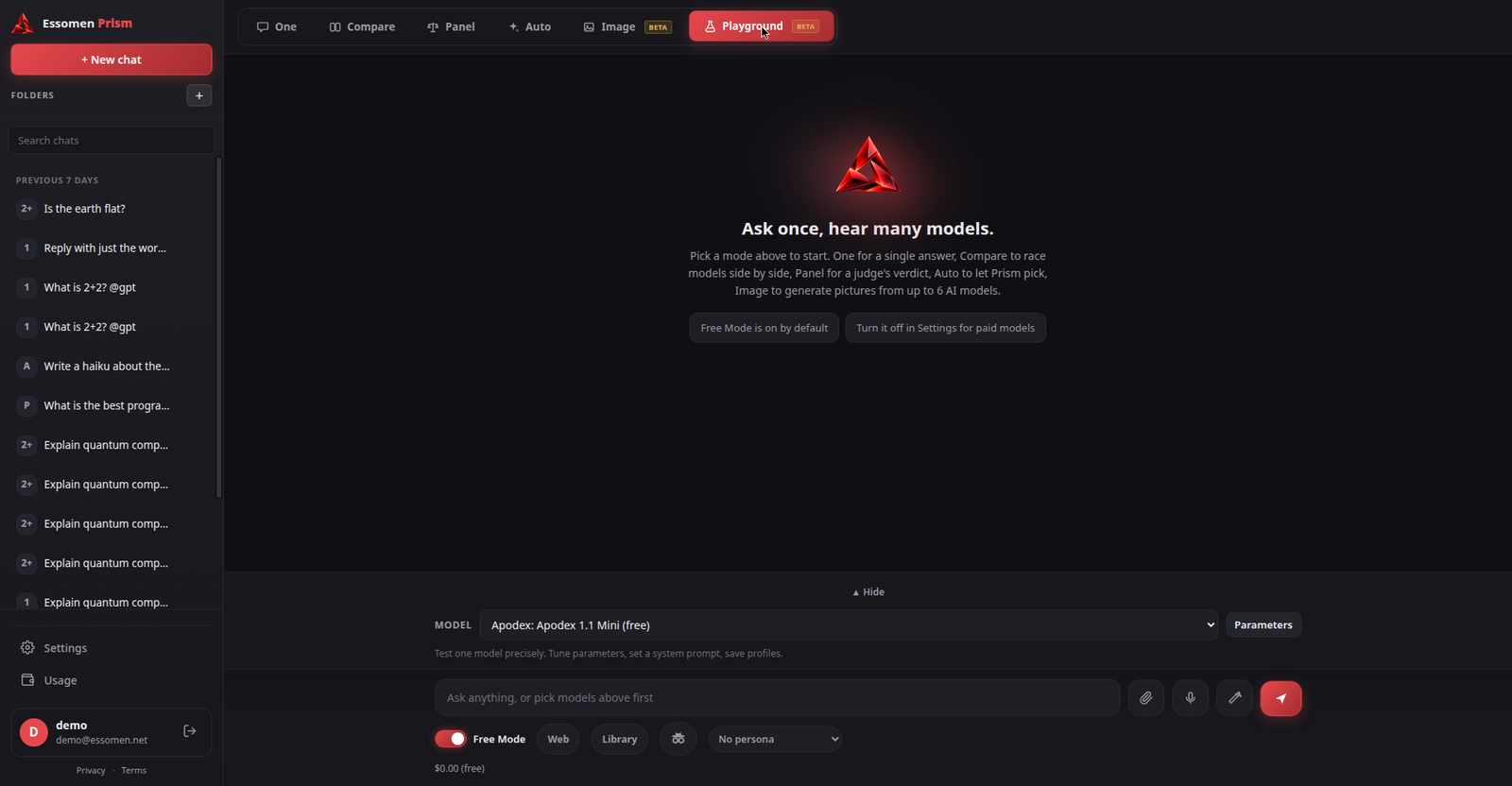
Pick one model and tune it like a lab instrument. Adjust temperature, tokens, penalties, and reasoning effort. Set a system prompt, control context depth, and save your best setups as reusable profiles.
Small touches that make a big difference when you use AI every day.
Staring at a blank prompt box? Hit the magic wand and Prism rewrites your prompt to be clearer, more specific, and more likely to get a great answer.
Organize your conversations into color-coded folders. Collapse what you are not using, find what you need instantly. Your sidebar stays clean no matter how much you chat.
Save your best prompts and reuse them anytime. Use {{variables}} as placeholders, and Prism will ask you to fill them in each time you insert the prompt.
In Compare mode, one click analyzes all model responses and highlights exactly where they contradict each other. Stop guessing, start knowing.
Try it below: pick a question and see how a panel thinks. Illustrative example, not live AI output.
From request to results in four steps.
Send us a demo request using the form below. We'll set up your workspace.
Bring your free OpenRouter API key. It stays in your browser, never on our servers.
Pick One, Compare, Panel, Auto, Image, or Playground depending on your question.
Compare answers side by side, track spending, and save what matters.
Toggle on to use only zero-cost models. Explore without spending a cent. No surprise bills.
Ground answers in live web results. Models cite what they found, so you can verify.
See exactly what each conversation costs. Per-model receipts with tokens and latency.
Save your best prompts and reuse them. Build a personal playbook over time.
Shape how models respond: analyst, mentor, critic, or your own custom voice.
Every conversation saved and searchable. Export to Markdown or print anytime.
No subscriptions. No markups. You control the cost.
Your OpenRouter key lives in your browser. It never touches our servers. All AI requests go directly from you to OpenRouter.
Free models cost nothing. For paid models, you pay OpenRouter's rates. We never add a markup or take a cut.
Per-model receipts with tokens and costs. Set spending alerts. No surprise bills.
Create a free account at openrouter.ai. No card needed.
Generate an API key from your dashboard. Takes 30 seconds.
Add it in Settings. Start comparing 300+ models.
Stop juggling subscriptions and tabs.
Request access and start with everything below.
GPT, Claude, Gemini, Llama, DeepSeek and more. Live catalog that updates automatically.
One, Compare, Panel, Auto, Image, and Playground. The right tool for every question.
Free OpenRouter key. No subscription, no markup, full cost control.
Experimental features we're actively building. Try them and tell us what you think.
Pick up to 6 image models. Nano Banana 2 for all-round quality, GPT Image 2.5 for text in images, Nano Banana Pro for hero shots, Seedream for detail. Each renders your prompt independently, side by side. Free Pollinations included.
Pick one model and tune it like a lab instrument. Adjust temperature, tokens, penalties, and reasoning effort. Set a system prompt, control context depth, and save your best setups as reusable profiles.
Free Mode gives you access to zero-cost models. No payment needed. For paid models, you bring your own OpenRouter API key and pay OpenRouter directly. We never mark up model costs.
300+ models via OpenRouter, including GPT, Claude, Gemini, Llama, DeepSeek, and more. The catalog updates live, so new models appear automatically.
Yes. Your key is stored only in your browser's local storage. It never touches our servers. All AI requests go directly from your browser to OpenRouter.
No. If you can use a chat app, you can use Prism. Pick a workflow, pick models, type your question.
Request a demo below via email. We personally onboard every user to make sure Prism fits your workflow.
Yes. Prism is fully responsive. Compare models, track spending, and chat from your phone or desktop.
Ask one question, get three AI perspectives side by side. This is what Prism does. Compare responses from different models instantly, instead of switching between tabs.
Inside the app you can choose from 300+ models including ChatGPT, Gemini, Claude, and more.
3 free comparisons per day. For unlimited models and modes, request a demo.
Discover how Essomen Prism brings multiple AI models into one workspace. Request a personalized demo. We'll get back to you.